
Deadlinks Plugin for Craft 5
 By Gavin, 04 Jul 2026
Links have a half life of just two years. We’ve all come across this, reading through a blog post and finding many links no longer work. Like an old photo album with a light rectangle where a photo’s gone missing, it always make me quite sad. Maybe I’m overly nostalgic (I also find it sad that Blockbuster no longer exists), but it’s more than that: for some people like academics or journalists, having reference sites disappear can be a real problem. Ultimately, links are the foundation of the web and we do need to preserve them.
What is link rot and why should you care?
Link rot is what happens when URLs die - the page moves, the domain expires, or the content simply vanishes. For your site, that means broken user journeys and frustrated visitors hitting dead ends. Search engines notice too: Google interprets broken external links as a sign of neglected content, which can quietly drag down your rankings. It's not just an SEO problem - it's a trust problem. And it accelerates fast: a post that was perfectly fine two years ago can have 30% broken links today without you ever touching it.
Introducing Deadlinks for Craft CMS
Deadlinks is a little plugin for Craft CMS which fights this link rot. It scans your pages, flags up any broken external links, and if there’s an archived version in the Way Back Machine it links users through to that. Like Robert Downey Jr or high waisted jeans, your links are back and going nowhere.
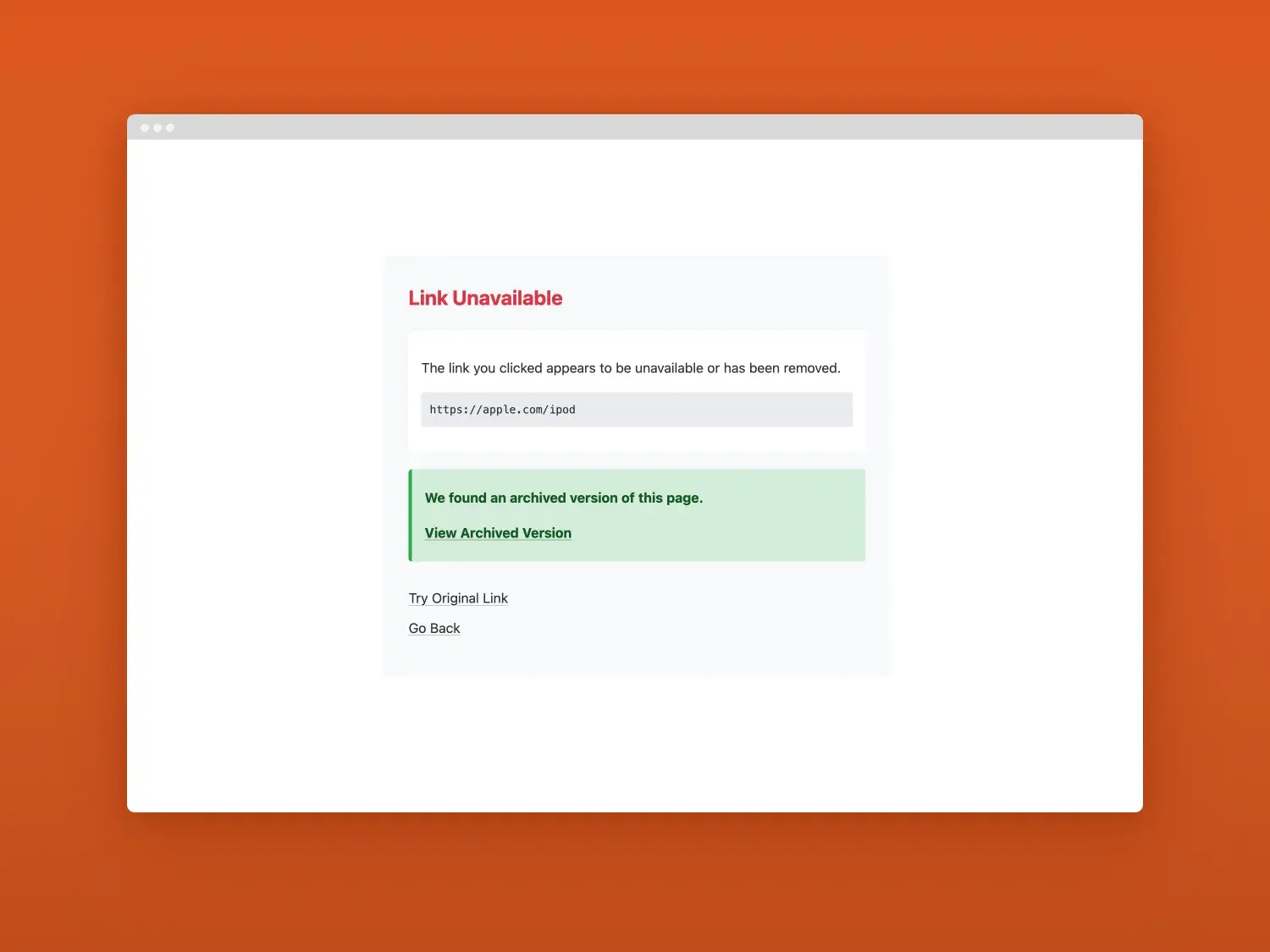
It’s easy to install with just one line of config. It’s powered by the Wayback Machine’s API, which is free. It uses the Craft queue, running in the background without slowing page loads down. The confirmation screen uses a neutral design out the box, but you can easily create your own template if you prefer. Give it a try!
Further reading
-

Donkeytail plugin for Craft CMS
 By Chris Rowe, 11 Jul 2026
-

Two spooky Craft quirks that could be lurking on your site
 By Michael McBride, 14 Oct 2025
-

Key takeaways when upgrading to Craft 5
-

3 simple ways to boost your Craft CMS security
 By Ant Cooper, 11 Aug 2025
-

Pwny plugin for Craft 5
By Ant Cooper, 02 Dec 2024
-

Craft 5 Released
By Chris Rowe, 01 Apr 2024
-

Block Usage plugin for Craft CMS
By Chris Rowe, 13 Mar 2023
-

Nag plugin for Craft CMS
By Ant Cooper, 23 Feb 2023